
Platinum Golf
Practical Professional Advice

The whole greenkeeping day in one place

GreenkeepersPal gives your head greenkeeper and team one page on every phone: who is doing which job and in what order, every machine with its manual and service history, leave and sickness, rainfall and chemical records, and an instant alert to the manager whenever someone reports a problem. Built with a working head greenkeeper and used daily on a real course.
Ask for a demo See the price
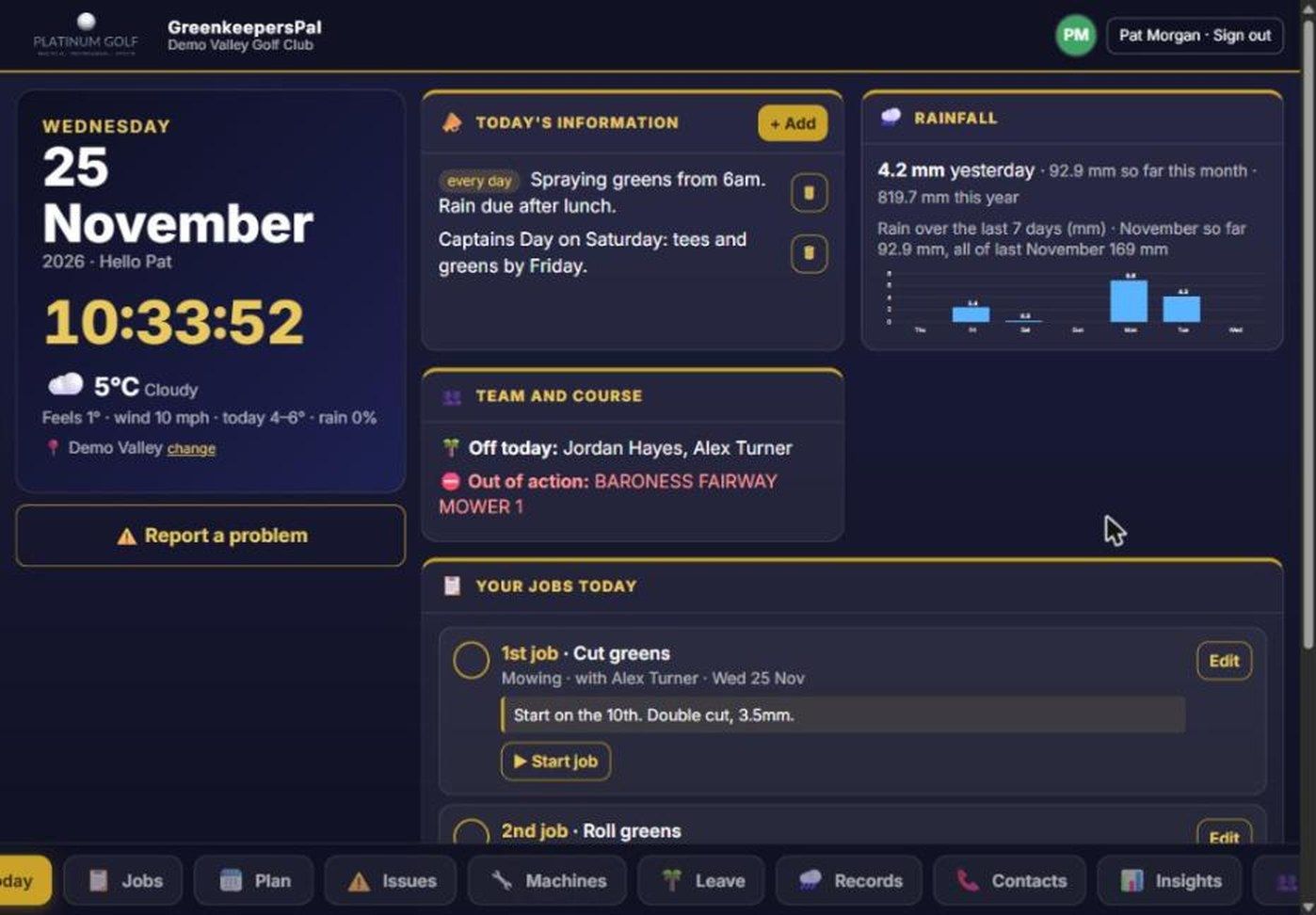
The Today page on a computer
The Today page: date, weather, the day's notes, rainfall, who is off and every job. Names and data shown are demo examples.

What it does

Everything a head greenkeeper keeps on a whiteboard, in a drawer or in their head.

Run the day

Jobs, in order, for each person

Give each person a 1st job, 2nd job and so on. Drag a job to another person to hand it over.
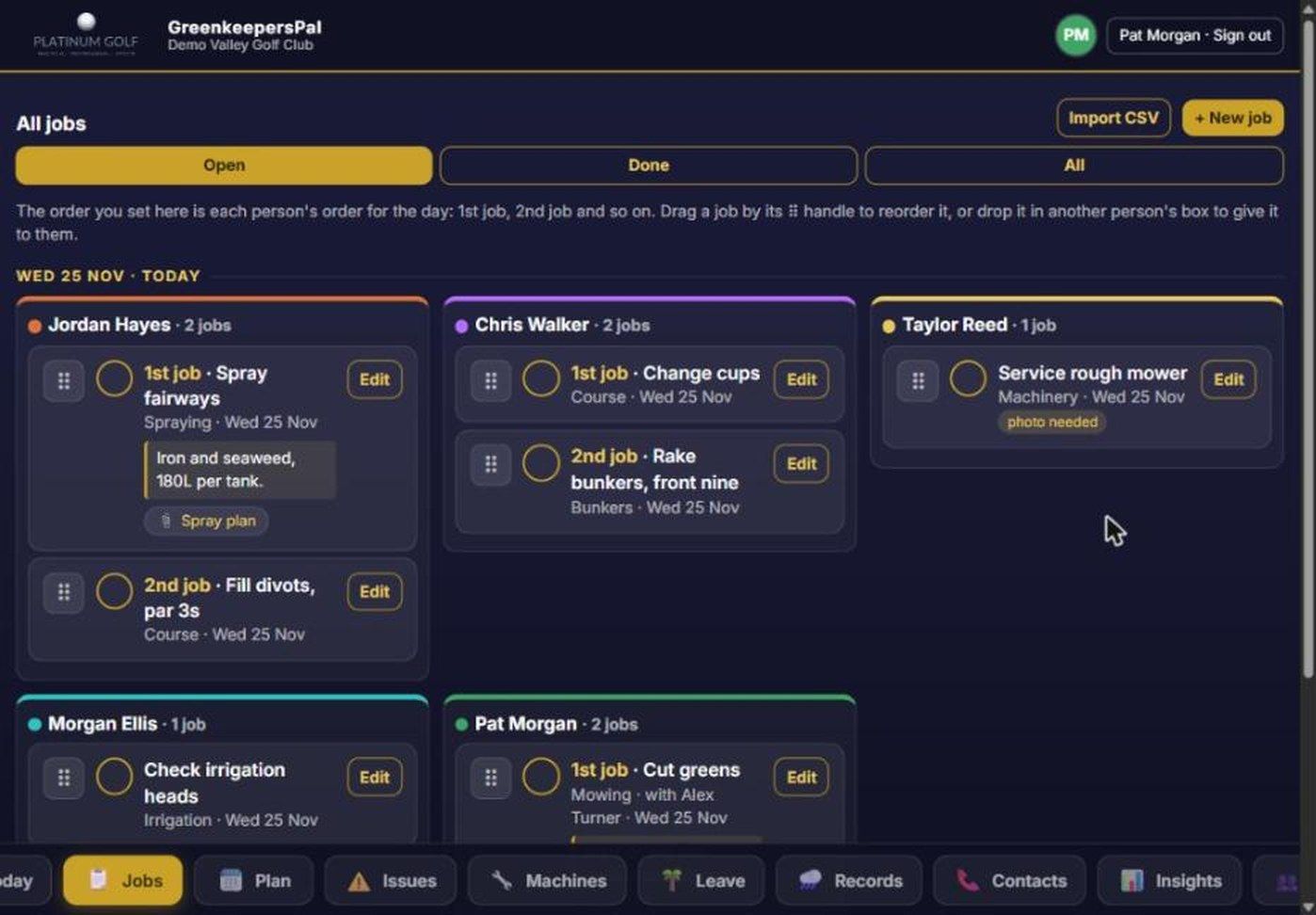
  • Attach a spray plan or sheet to a job
  • Staff tick jobs off, time them and add a photo
  • Finished jobs: print a PDF report, archive or delete
Jobs shown in a box for each person
Look after the kit

Every machine, its manual and its history

A picture and a name for each mower, with the manual stored right next to it.
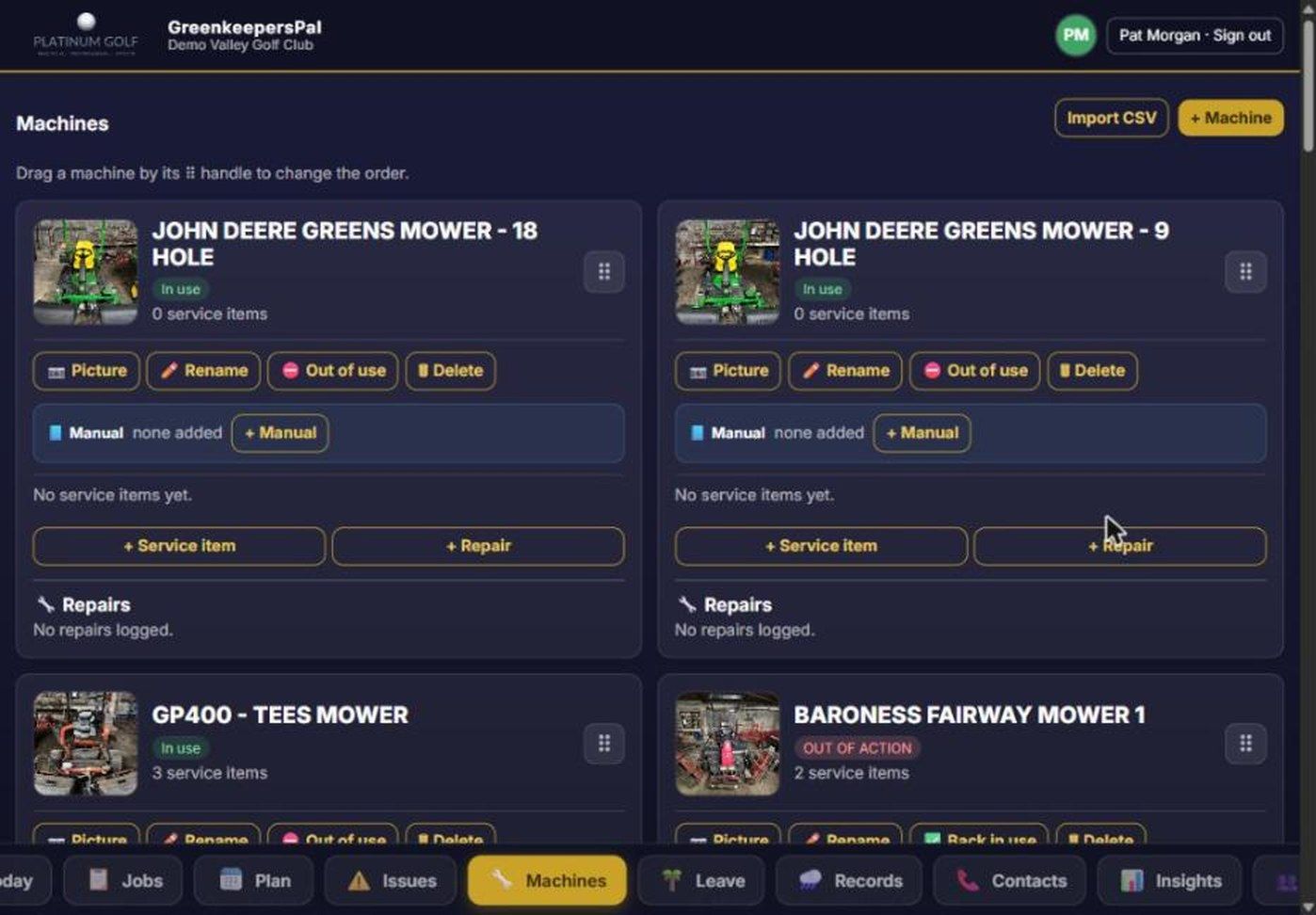
  • Upload the manual, parts book or service sheet
  • Log services and repairs, with the cost
  • Mark a machine out of action and the whole team sees it
Machines with pictures and manuals
Know your team

Leave and sickness without the wall planner

Staff ask for leave on their phone and you approve it. See who is off today, this week or all year.
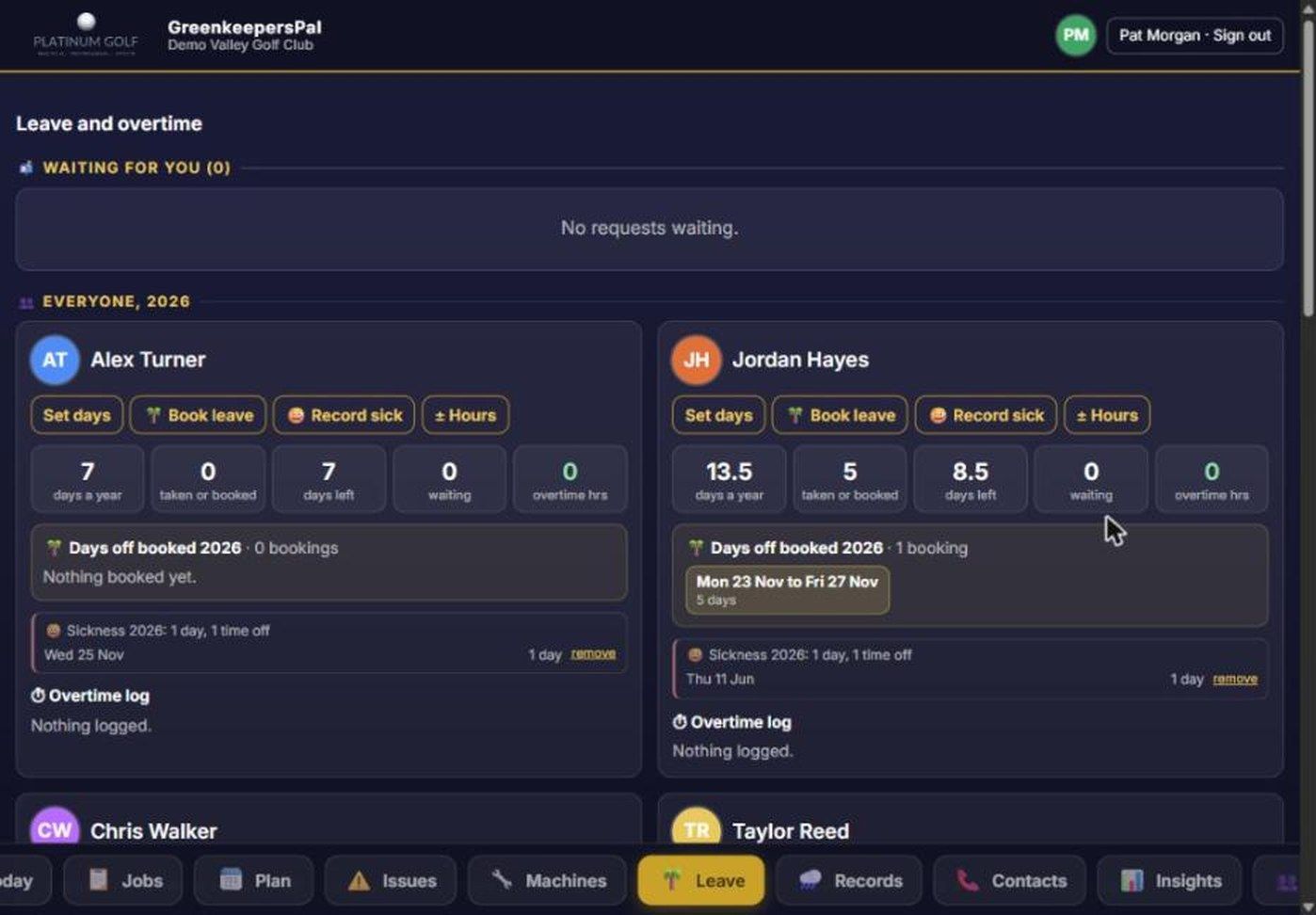
  • Allowances and days left for each person
  • Sickness recorded quietly, with the dates
  • Overtime hours logged against each person
Leave and sickness for each person
Managers only

A private file for each person

Contracted hours, qualifications, appraisals and notes, visible only to managers. Documents can carry an expiry date, with a warning before it passes.
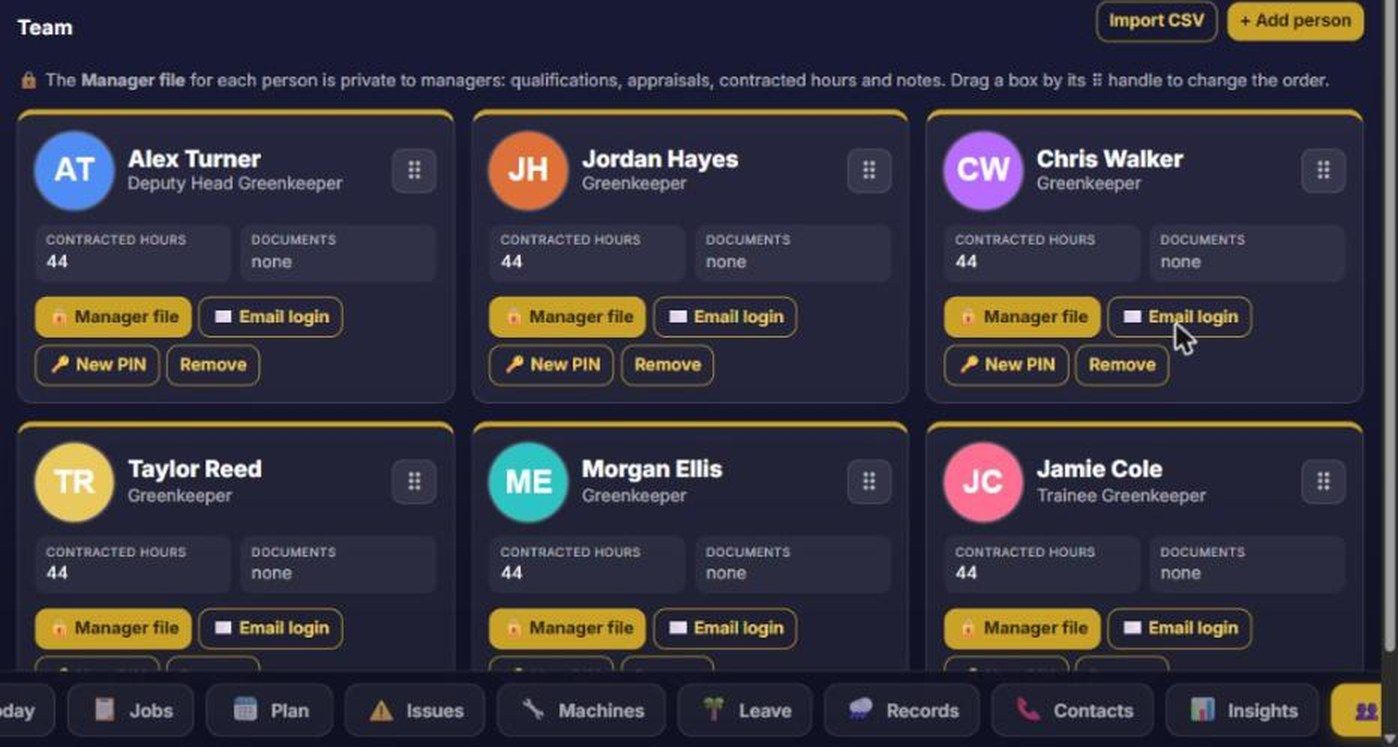
  • Team members never see it
  • Drag to put the team in your order
  • Emailed logins and PINs for every member
The team page
Plan and record

Spray and feed programme, with the records written for you

Plan the year's sprays and feeds, then tick each one off when it is done. The treatment record is written for you and the product comes out of stock.
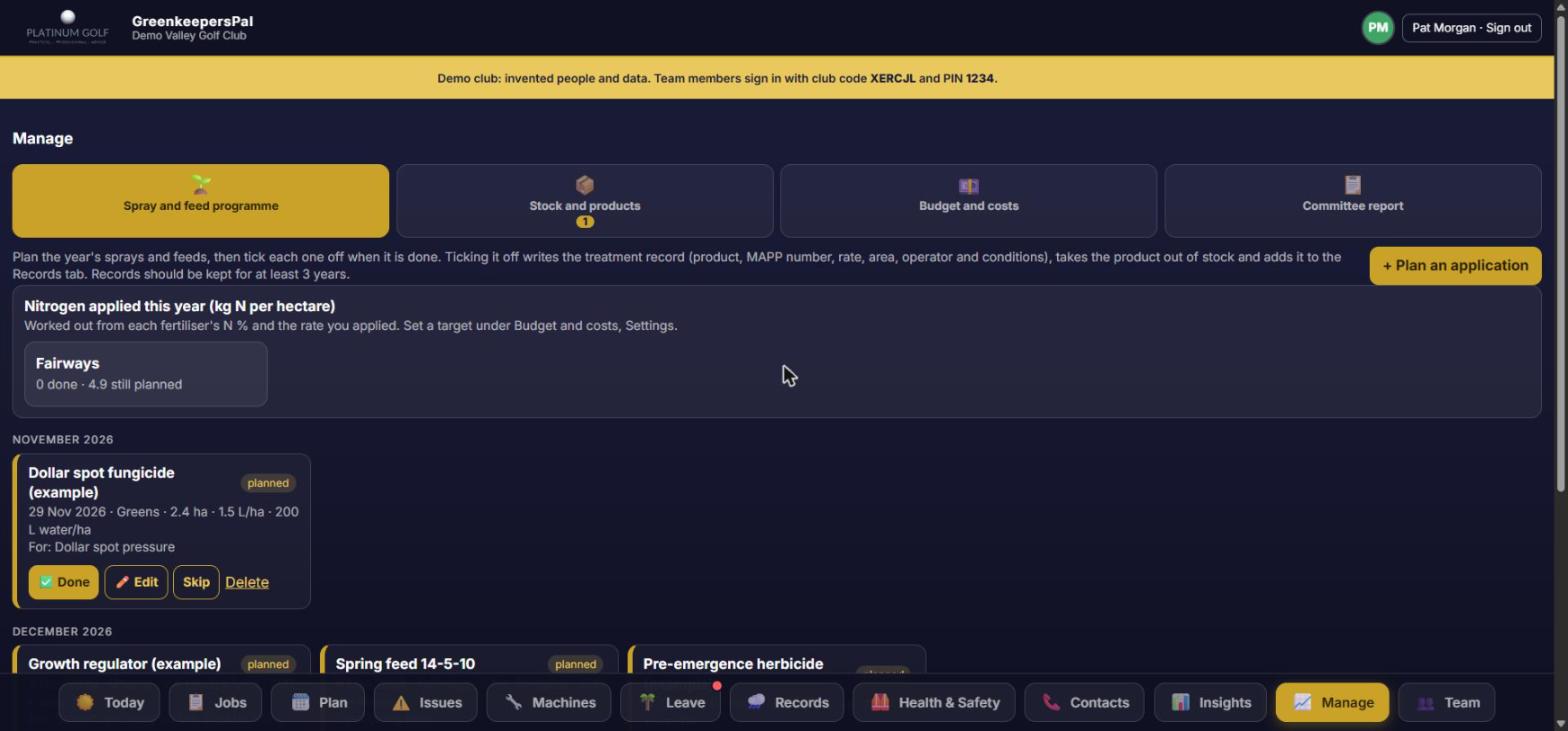
  • Product, MAPP number, dose, area, operator and conditions recorded each time
  • Warnings for maximum applications and repeating the same fungicide group
  • Nitrogen applied to each area, worked out from the fertiliser you used
  • Store list and reorder levels for every product
Spray and feed programme planned month by month
Budget and committee

Spend against budget, and a one-page committee report

Set a budget for each line and add what you spend. Machinery repairs and labour come in from what the team has already recorded.
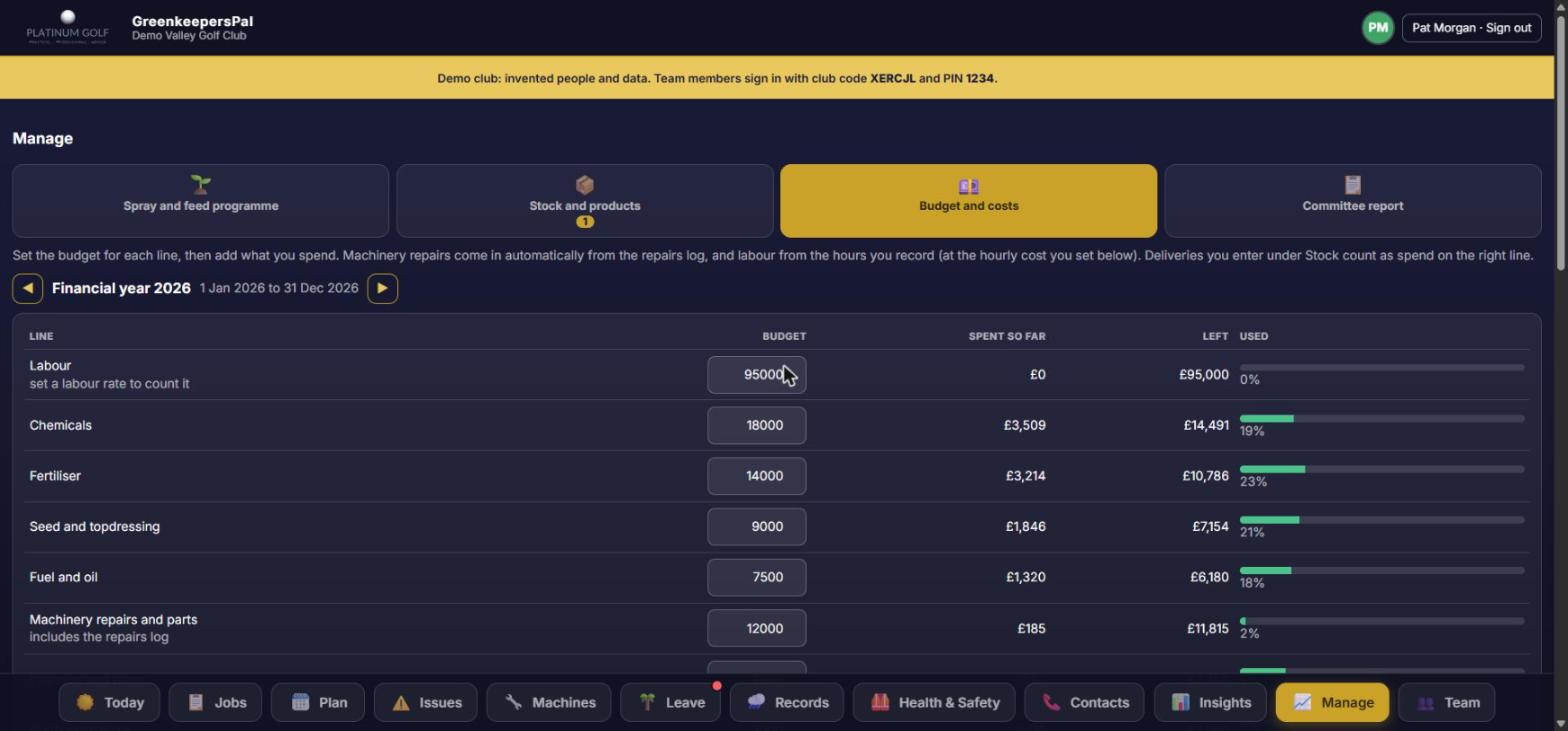
  • One printable page for the green committee or board
  • Capital requests with the reason for each
  • An inspector pack: three years of treatment records, store list, certificates and driver checks in one printout
Budget and spend for each line
Health and safety

The paperwork a greenkeeping team has to keep

Contractor sign-in, hot work permits and permits to work, COSHH, staff inductions and your site policy, all in one place.
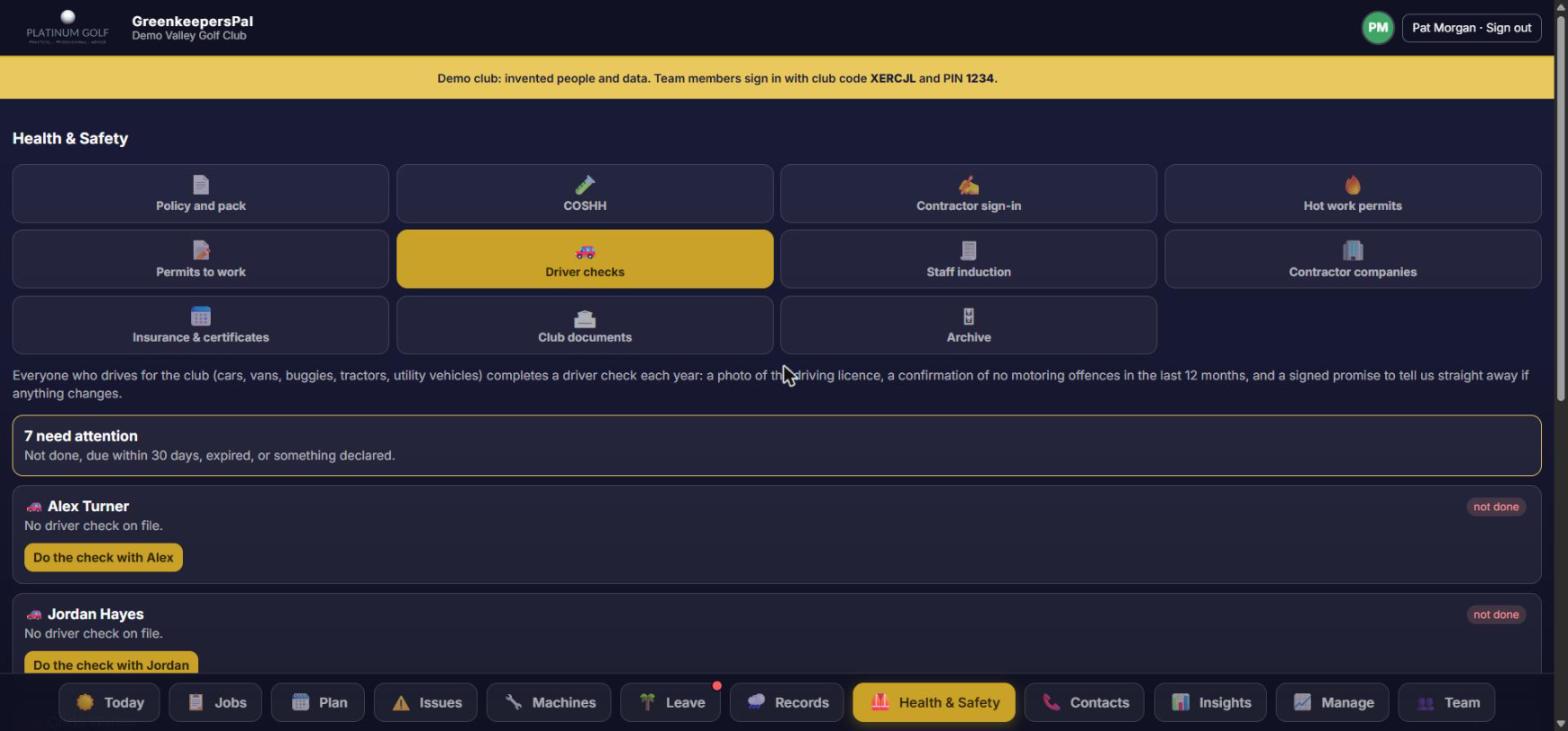
  • Insurance and certificate expiry dates, with email reminders before they lapse
  • Yearly driver checks: a photo of the licence, ticks for no motoring offences in 12 months and a signed promise to tell you if anything changes
  • Approved contractor companies, with their paperwork on file
The health and safety area, including driver checks
Problem alerts

A problem reported is a problem seen

A broken sprinkler head, a leaking hose, a mower that will not start. Anyone on the team reports it from their phone in seconds, and the manager knows straight away.

1

Anyone reports it. What, where, a photo, and a tick if it is urgent.

2

The manager is alerted. A pop-up appears at once, with the photo and the place.

3

One tap makes it a job. Give it to someone and it joins their list.

4

Mark it fixed. It is archived with the date, so you can see how long fixes take.

Records

Chemicals, fertiliser, seed and sand, with daily rainfall and course closures in their own tabs.

Contacts

Suppliers, engineers and emergency numbers for the whole team in one list.

Any phone, no app store

Add the page to the home screen and it works like an app. Also on tablets and desktops.

Simple price

One price for the whole team. No charge per person.

£500
One-off set-up
We set your club up and load your machines, team and records
£100
Per month
Unlimited staff and managers

Subscribe now

Pay £500 set-up and the first £100 month by card. We set your club up as soon as it is paid.

Getting started

1

Ask for a demo. A short call or message.

2

We set up your club and load your machines, team and records.

3

Your team opens the link and signs in with a PIN.

Questions

Do the team need to download anything?

No. They open a link and add it to the home screen if they like.

Can staff see each other's private details?

No. Staff see their own jobs, leave and balances. The private file for each person is for managers only.

Can we load our existing machines and records?

Yes. Machines, staff, rainfall and records can be imported from a spreadsheet, and we help with the first load.

Is there a contract?

Ask us for the terms when you book your demo.

Subscribe nowAsk for a demoBack to all areas